How to Compare Two Texts for Differences: Editorial, Legal & Document Diff Guide
Discover how automated text comparison tools catch critical contract discrepancies, verify editorial proofreading changes, and save hours of manual side-by-side reading.
Whether you are an editor reviewing client revisions on an article, a legal professional auditing clause modifications in a contract agreement, or a web developer updating configuration scripts, comparing two versions of a text is an inevitable task.
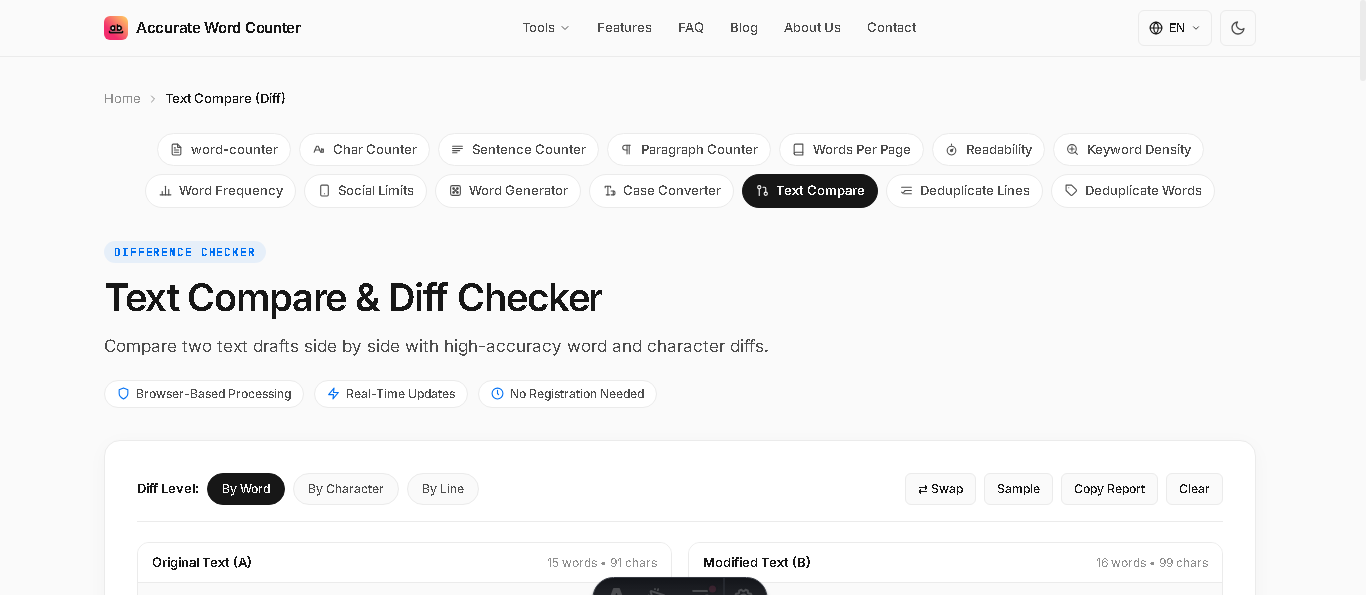
To compare two texts for differences accurately, use an automated text diff tool that evaluates changes across three levels: by word (highlighting additions in green and deletions in red for prose and essays), by character (spotting single-letter typos or punctuation in contracts), or by line (for code and datasets). Automated diffing prevents human change blindness and verifies alterations in seconds with 100% precision.
Human eyes are notoriously prone to cognitive "change blindness." Studies in typographic psychology show that when proofreaders read two similar documents side by side, they miss up to 30% of subtle alterations—especially omitted commas, flipped digits, and substituted synonyms. A dedicated text diff tool provides an instant, foolproof safeguard.
Understanding Diff Granularity: Word, Character, and Line Levels
Not all text comparisons are identical. The right comparison level depends entirely on the type of document you are evaluating:
| Diff Granularity | How It Evaluates Changes | Best Suited For |
|---|---|---|
| By Word (Recommended) | Highlights whole words added in green and deleted in red. | Essays, blog drafts, marketing copy, book chapters, email revisions |
| By Character | Identifies single-letter typos, altered punctuation, and typos. | Serial numbers, legal definitions, mathematical equations, URLs |
| By Line | Highlights full lines inserted or removed. | Source code, CSV datasets, structured lists, configuration files |
4 Critical Real-World Use Cases for Text Comparison
1. Contract & Legal Clause Auditing
When negotiations go through multiple rounds of back-and-forth revisions, opposing parties may alter clauses, payment deadlines, or liability conditions without enabling "Track Changes." Running both versions through a diff checker immediately flags any covert deletions or stealth modifications in vivid red and green.
2. Editorial Proofreading & Ghostwriting Revisions
After an editor reviews your manuscript, comparing your original draft against the revised file shows exactly where your sentences were shortened, where weak passive verbs were sharpened, and what extraneous adverbs were pruned.
3. SEO Content Updates & Algorithm Optimization
When updating an existing high-ranking blog post to match new search intent guidelines, comparing your updated draft against the live published version ensures that critical internal links, target keyword placements, and structured tables are not accidentally erased.
4. Translation & Localization Verification
Technical writers can compare localized product manuals against source updates to pinpoint newly added product specifications that require updated translation without having to re-translate the entire 50-page document.
How to Compare Two Texts Online in Seconds
You don't need to install expensive specialized desktop software or upload sensitive documents to unverified cloud servers. With our free, client-side Online Text Compare Tool:
- Paste your original document into Panel A.
- Paste the updated or revised version into Panel B.
- Select your preferred granularity (By Word, By Character, or By Line).
- View the instant similarity percentage, exact number of words added and deleted, and clean visual highlight report.
- Click Copy Report to save or share the revision summary.
Frequently Asked Questions
What is a text diff tool?
A text diff (difference) tool compares two versions of a document side by side, automatically highlighting added words in green and removed words in red to identify alterations instantly.
Which diff comparison level is best for essays and articles?
Comparison by Word is recommended for articles, manuscripts, and essays because it clearly highlights rephrased sentences and substituted words without fragmenting text into individual letters.
Is my confidential text private when using an online diff checker?
Accurate Word Counter executes text comparison 100% client-side in your web browser using JavaScript. No contracts, essays, or private drafts are ever uploaded to remote servers or stored in any database.
What does the similarity percentage indicate?
The similarity percentage measures the mathematical proportion of matching tokens between both texts. A 100% score indicates identical files, while a 0% score means the documents share no common vocabulary.